
Screenshots & photos · Flash and image translation
How do I translate a screenshot or photo on iPhone?
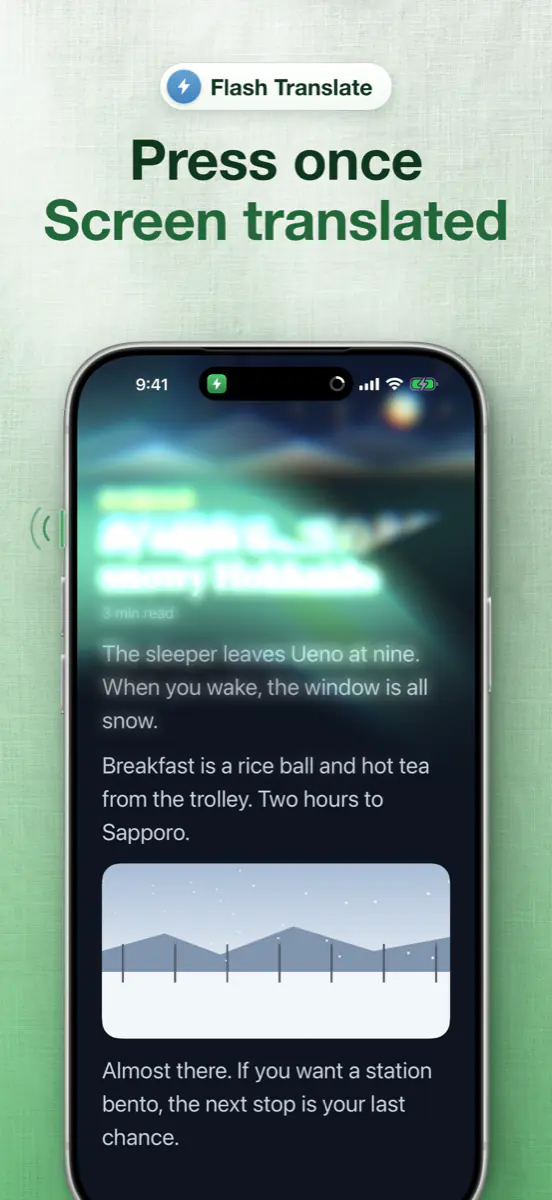
To translate a screenshot or photo with Loupe, share it to “Translate with Loupe”, or pick it from Photos or take a photo in the app; it comes back translated in place. To translate what’s on screen right now, use Flash: press the Action button once. Both count toward Flash, free 5 times a day; Loupe Pro is unlimited.
Download on the App StoreFree every day. No account needed.
How do I translate a picture with Loupe?
Loupe translates a picture you share or pick, or the whole current screen, and both take a single tap or press once the language is downloaded.
Download the language once.
Download the language pack for the language in the picture (Loupe shows the size and asks first).
Share a picture to Loupe.
In Photos or a screenshot preview, tap Share and choose Translate with Loupe. Or, inside Loupe, pick a photo from Photos or take one.
Or translate the screen with one press.
Flash works from the Action button, Back Tap or Control Center: press once in any app and the whole screen comes back translated in place.
Look closer.
On a Flash result, tap a sentence to split it into words, even in Japanese, Chinese, Korean and Thai, then look up, hear or copy any of them.
Which pictures does Loupe translate well?
Loupe translates pictures with clear printed or on-screen text best, such as screenshots and photos you already took.
- Screenshots of chats, posts, menus and order screens in another language.
- Photos of signs, menus or packaging you already took.
- A one-off look at the current screen, without starting a Live session.
Can Loupe translate through the live camera?
No: Loupe translates a photo, not a live camera view. To point the camera at a sign as you walk, the camera in Apple’s Translate app is quicker.
- Images and Flash share the free allowance: 5 a day.
- Translation is on-device by default; Loupe AI (Pro) or an AI model you connect reads more naturally.
Can Loupe turn a menu photo into an order list?
Yes: when the picture is a restaurant menu, tap A menu? Turn it into an order list at the bottom of the result, and AI Menu lists every dish with its translated name, original name, a short note and an approximate price in your currency. You then show the staff an order card in the menu’s language. AI Menu needs Loupe AI or an AI model you connect; see the menu guide.
Does Loupe keep the photos I translate?
Loupe keeps the photos you translate only on your device, in Image History, while Save Image History is on (it is by default). Photos you take, pick or share are kept with their translation, and with the menu list and your order if you used AI Menu, up to the latest 30; they’re never uploaded or backed up.
Loupe gets only the images you choose and has no access to the rest of your photos. You can turn the switch off or clear everything in Image History on Loupe’s camera page. Screens translated with Flash aren’t saved, and an image leaves your device only when you organize it with AI Menu.
Which languages can Loupe translate in pictures?
Loupe translates the languages supported by Apple’s on-device translation, including Japanese, Korean, Chinese, English, Spanish, French, German, Thai and Vietnamese. It detects the language on screen automatically.
Each language pack comes from Apple (about 140–440 MB; Japanese to English is about 200 MB). Loupe shows the size and asks before downloading, and once a pack is downloaded, translation works offline. The app itself is available in 14 languages.
Is image translation free?
Loupe is free to use every day with daily limits, and it needs no account. The free plan includes 5 minutes a day of Live screen translation and Voice captions combined, Flash 5 times a day, and 10 pages a day across web mode and the Safari extension; the limits reset at midnight local time.
Translating a selection with Loupe as your default translation app is unlimited, even on the free plan.
Loupe Pro removes the daily limits and adds Loupe AI (online translation with a monthly allowance), Subtitle mode and more services you can connect.
In the US, Loupe Pro costs $1.99 a month, $9.99 a year or $19.99 once (Lifetime). Prices vary by region, so go by what the App Store shows you; subscriptions renew until canceled.
Common questions
How do I translate a screenshot on iPhone?
Open the screenshot, tap Share and choose Translate with Loupe; it comes back with the text translated in place. You can also pick it from Photos inside Loupe.
Can I translate the whole screen with one button?
Yes: Flash translates the current screen with one press of the Action button, or from Back Tap or Control Center. It’s free 5 times a day.
Does Loupe see my other photos?
No: Loupe only gets the images you choose. By default it keeps the latest 30 you translate in Image History, only on your device and never uploaded; you can turn that off or clear it in Image History.
Can I look up individual words?
Yes: Tap a sentence on a Flash result to split it into words, even in Japanese, Chinese, Korean and Thai, then look them up, hear them or copy them.
Last updated 2026-11-21